Augmented Reality Training

Train workers directly on
real machines with AR

Step-by-step guidance, real-time AI support, and full performance tracking — all in one platform.

↓42%
Training time
⚙️
3
Calibrate pressure valve Rotate 90° clockwise · AR guide active
98%
Task accuracy
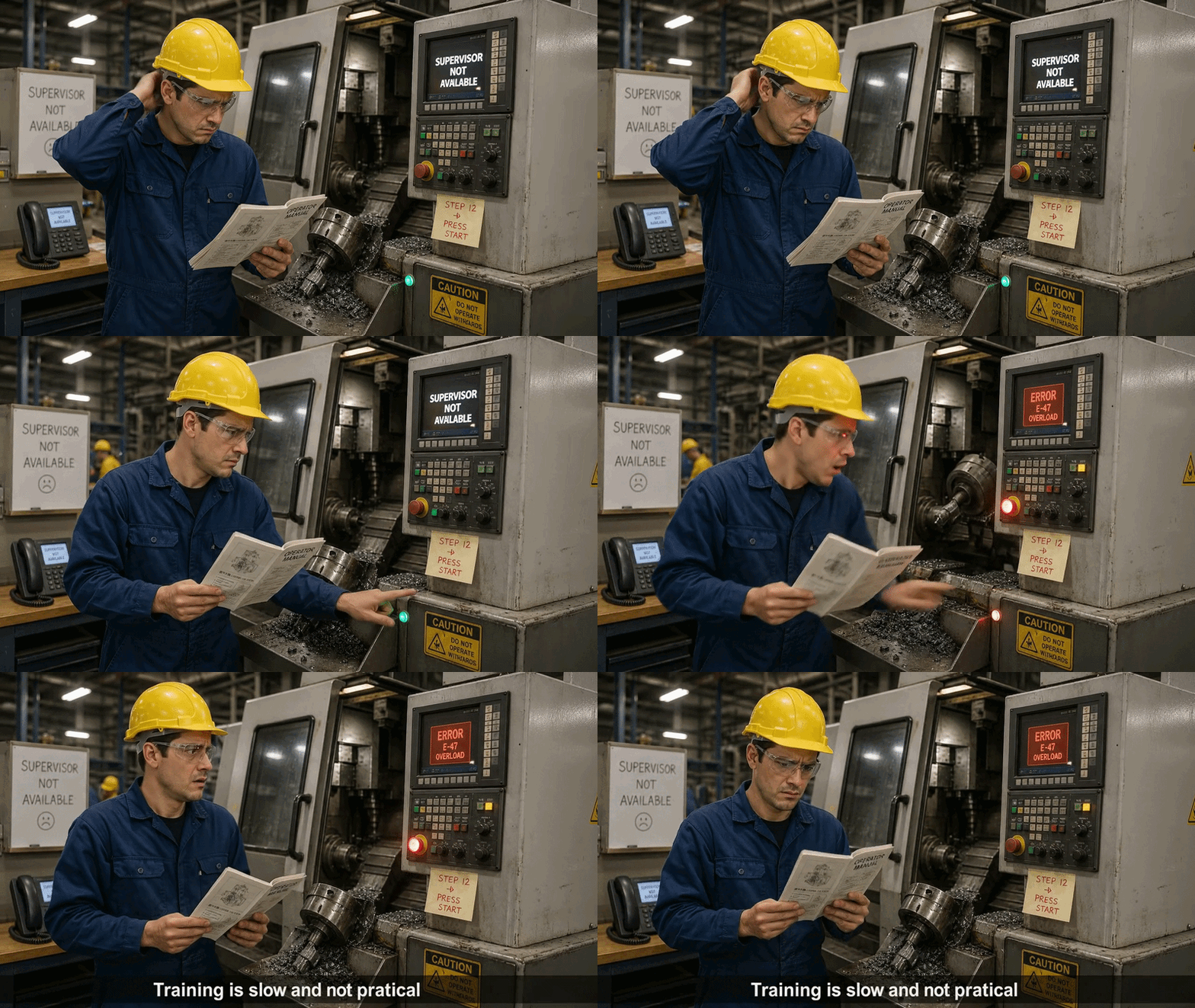
< Replace inner content with: Worker with manual >
📋
Scene 1 GIF — Worker confused with manual

Training today is slow and inefficient

📚
Workers rely on manuals or other workersStatic docs can't adapt to real machine conditions.
🔕
No real-time support on machinesQuestions go unanswered until a supervisor is free.
⚠️
High risk of mistakes and downtimeErrors cost time, money, and safety incidents.
"Training is not connected to real work."
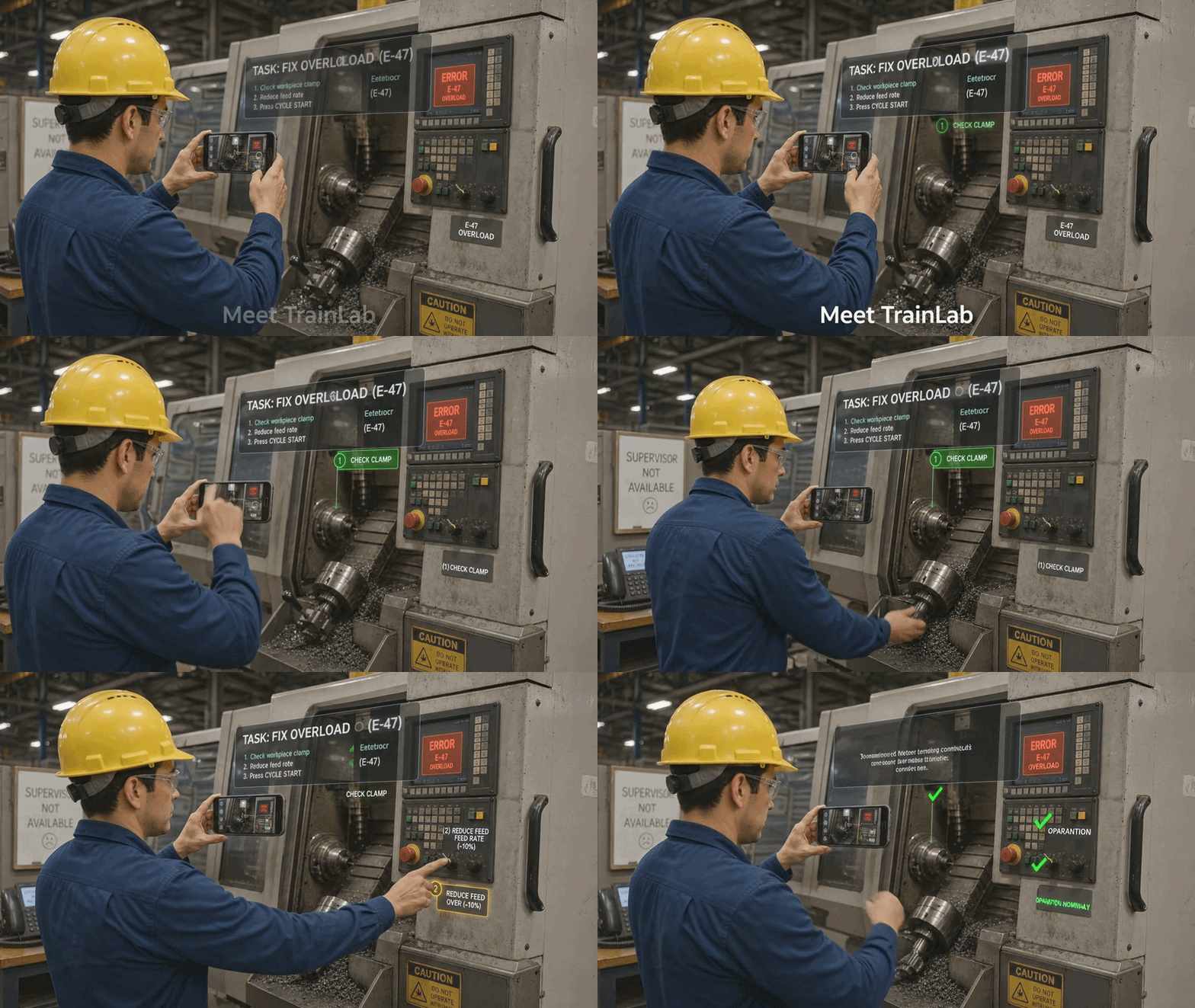
Meet TrainLab

TrainLab uses AR to guide workers directly on real machines using smartphones or AR glasses — no complex setup, no interruptions.

Visual instructions anchored in the real environment
Easy to use on-site — zero IT overhead
Works with existing smartphones or AR glasses
See It In Action →
< Replace inner content with: AR interface on machine >
🥽
Scene 2 GIF — AR interface

How It Works

From your training docs to AR-guided workflows in four simple steps.

1
📄

Upload Content

Import PDFs, manuals, or existing training materials with a single click.

2

Convert to Workflows

AI automatically structures your content into step-by-step guided workflows.

3
📍

Place AR Hotspots

Anchor visual instructions directly onto machine components in real space.

4
🧠

Train with AI

Workers follow guidance on-site with live AI support answering every question.

Measure and improve training performance

Training time
Errors
Productivity
Track worker progress and skill development in real time
Reduce costly errors and cut average training time significantly
Improve on-site safety with standardized AR-guided procedures
↓ 42%
Training time saved
↓ 67%
Error rate reduction
↑ 3.2×
Productivity gain
98%
Task completion rate
🧠

Built-in AI assistant

Workers can ask questions and get instant answers based on training content — right on the machine floor.

How do I reset the pressure sensor on unit 4B?
Hold the reset button for 3 seconds, then turn the dial to position 2. I can show you the AR guide on your device — just tap "Start AR" below.

Ready to transform
your training?

Join forward-thinking manufacturers already using TrainLab.